Overview
The admin interface is used to manage TeslaLogger. Here you can activate or retrieve various things, for example, retrieve the log file, trigger an update, or initiate a restart. Additionally, some statistical data is visible. The admin interface is accessible at http://raspberry/admin. No password is required and (depending on your vehicle) the following image is shown:
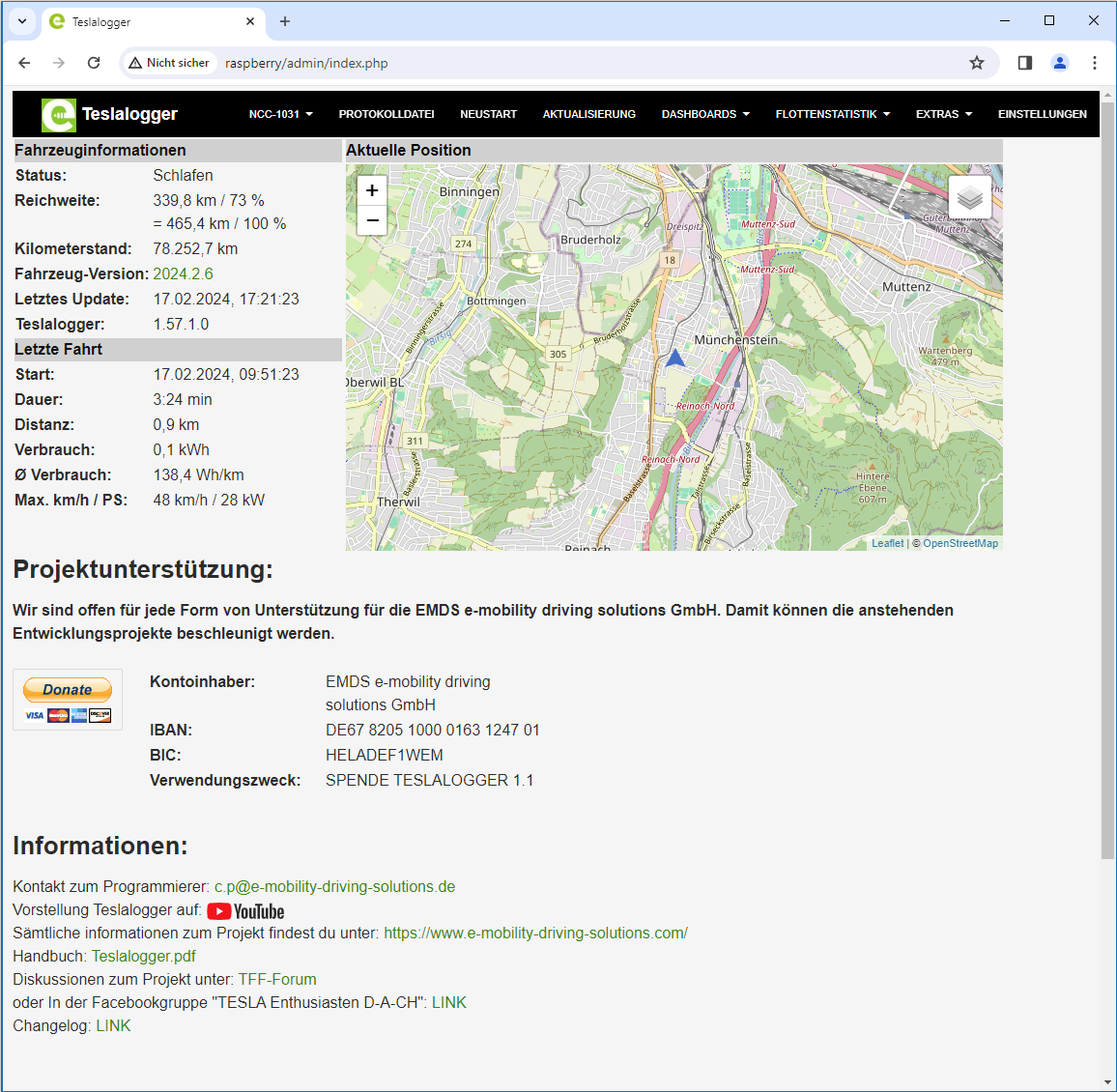
The visible information should be self-explanatory. If there is currently no connection to the vehicle, the status in the top block will show "Sleeping". There are also "Online" (when a connection to the vehicle exists) and "Charging" (along with some parameters of the current charging session). Additionally, the current software version of the vehicle and the current version of TeslaLogger are displayed. If a new version of TeslaLogger is available or if a software update is pending for the selected vehicle, this is also shown here. The lower block shows some statistical information about the last trip. The right block displays a zoomable map with the last known position of the vehicle. The zoom level can be adjusted under "Settings". The zoom level in the image corresponds to "13". The following sections explain the individual menu items from the top menu bar.